Flowde
Flowde extracts structured data from flowcharts. It was developed for extracting information from CONSORT diagrams in systematic reviews, and can also be used with other flowcharts. The supplied prompts and example dataset focus on CONSORT diagrams.
The package takes you from PDFs to images, from images to structured JSON, and optionally from predictions to benchmark scores:
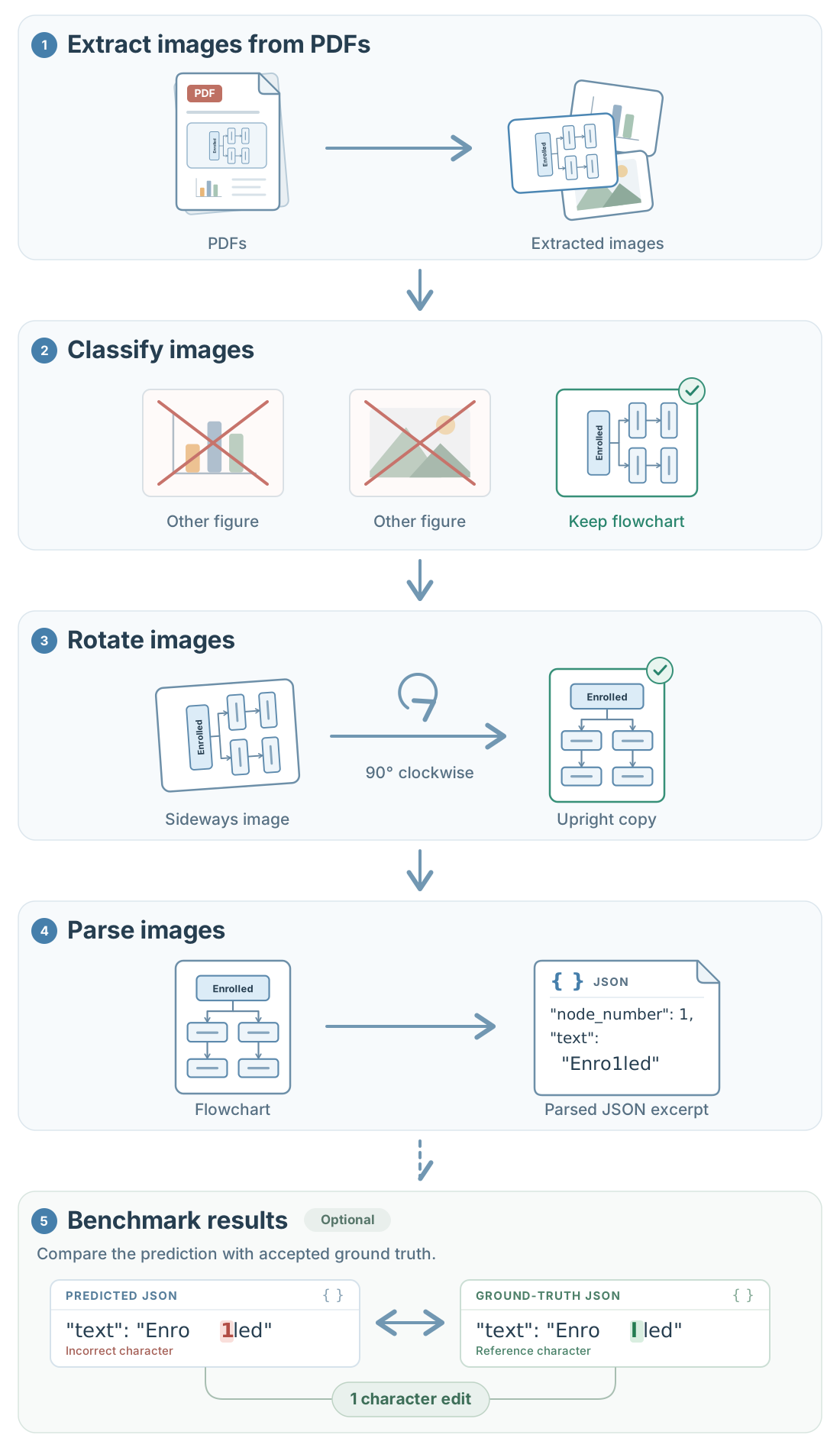
You can use the default PaddleOCR and LLM helpers, or provide your own functions. Each stage saves its results and supports resuming work after an interruption.
Start here
- Install Flowde.
- Set up the default functions.
- Follow the core pipeline with your own files, or run the complete CONSORT example.
To try the workshop demo in a browser, use Open demo in Google Colab. The notebook uses Azure OpenAI and asks for the endpoint and API key.
The pipeline
| Stage | Input | Result |
|---|---|---|
| Image extraction | PDFs | Candidate PNG images |
| Classification | Images | Labels and selected image copies |
| Rotation | Images | Correction angles and corrected image copies |
| Parsing | Images, optionally with earlier parsed parts | Structured JSON |
| Benchmarking | Predictions and ground truth | Scores and detailed matches |
If you already have flowchart images, start with rotation or parsing. Classification and rotation can be performed in either order.
See managing runs for stopping, resuming and overwriting, and usage reporting for tokens and estimated costs. The API reference describes function parameters and results.